Create your First Silverlight Application using LINQ and Web Services
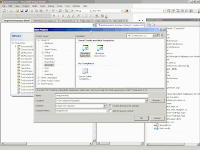
Create your First Silver light Application using LINQ and Web Services 1. Create a New Silverlight Application project and name it “ImageViewer” 2. Select ASP .NET Web Application Project and change the name for the web project to “ImageViewer_Web” 3. The solution includes two projects. One is for the Silverlight Control [i.e. ImageViewer] and Another one is for the ASP .NET web system [i.e ImageViewer_Web] 4. Now, we have to create a data context using LINQ to SQL features in ImageViewer_Web project. To do that, right click on the Web Project and Select Add->New Item and Select LINQ to SQL Classes 5. Then Open Server Explorer (View->Server Explorer). Create a connection to the “ImageViewer” database and drag and drop the Tables (tblIndex, DocType, tblDoc) into the left pane and Stored Procedures (getDocuments(), getDocumentTypes()) into the right pane of ImgDataManager.dbml 6. Name the data context as “ImgDataManagerDataContext” and set Serialization mode to Unidirectional 7. If...